Coming from a background in motion and narrative with roots in filmmaking competitions like the Cannes Reel Ideas Studio and Microsoft’s Imagine Cup, I’ve always been fascinated by the ‘director’s eye’ in design. For this project, I wanted to put that experience to the test. I used this 7-minute narrative as a benchmark to see if a single designer could achieve what typically requires a full studio team. By leveraging an AI pipeline, I was able to move from concept to a finished film in just four days, exploring how these tools can truly democratize high-end storytelling.
A comprehensive UX audit identifying three critical growth areas in AI-native production workflows.
The Project: A dialogue-free narrative film created for the 1 Billion Summit AI Film Award.
The Goal: To test the limits of generative tools by producing a consistent, high-fidelity story using only visual motion and system logic.
The Impact: Successfully engineered a hybrid AI pipeline and conducted a live UX audit, identifying 3 key growth areas for the Google Flow product.
The Stack: Generative Video (Google Flow), Multimodal Image Synthesis (Whisk/Nano Banana), Non-Linear Orchestration (Premiere Pro).
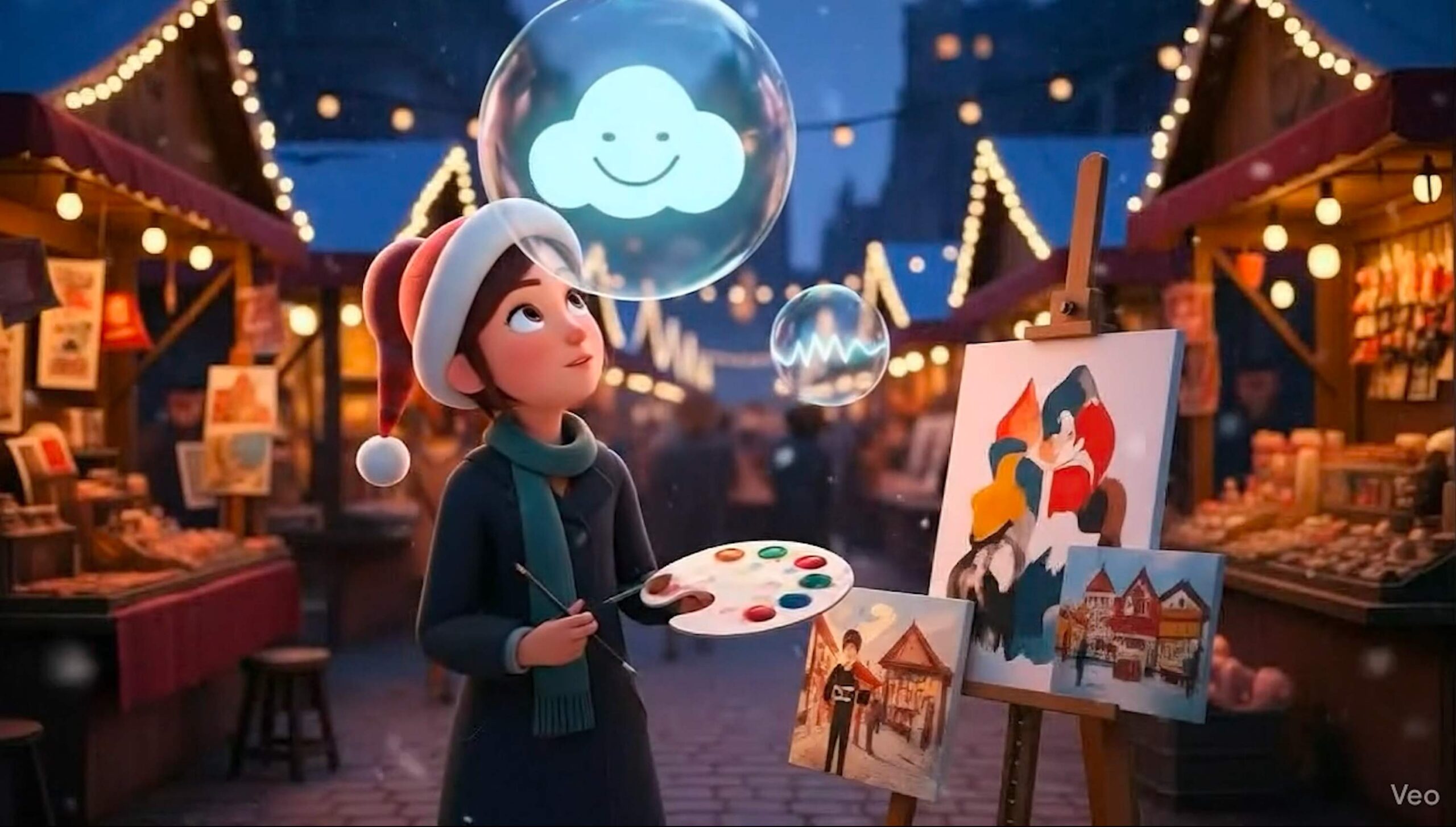
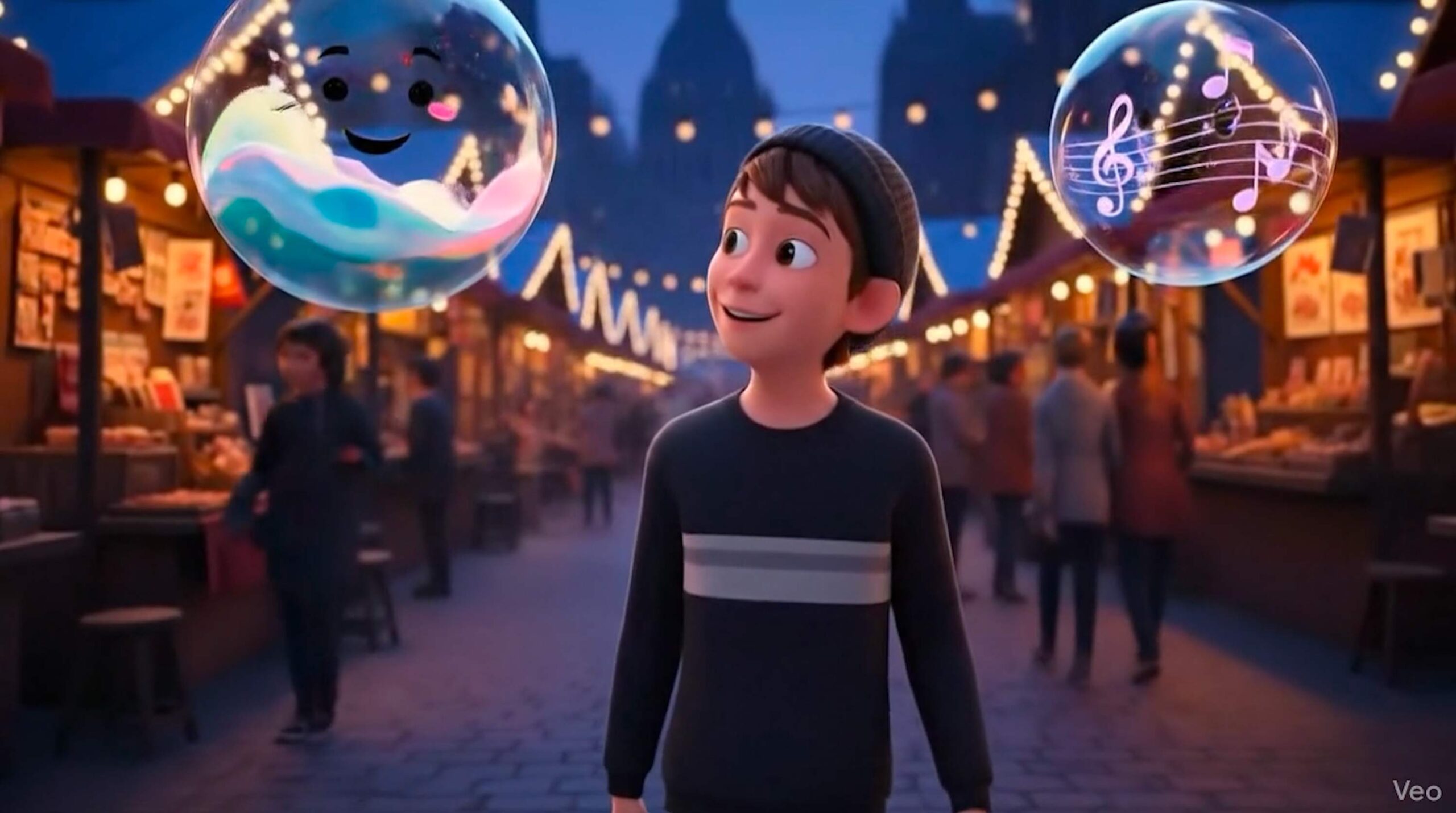
Bubble Duet is a romantic, dialogue-free narrative set in the heart of Paris. It follows two frustrated artists, a painter and a musician, whose creative essences manifest as magical, colorful bubbles.
As these bubbles navigate the city, interacting with galleries and street music, they eventually collide, leading the two creators to a shared future and an unexpected encounter in a bustling market.
The Challenge: The "Consistency" Paradox
Maintaining object permanence (the magical bubbles) and character identity (the Painter and Musician) in Paris is a massive hurdle for current AI models, which lack “visual memory” between shots.

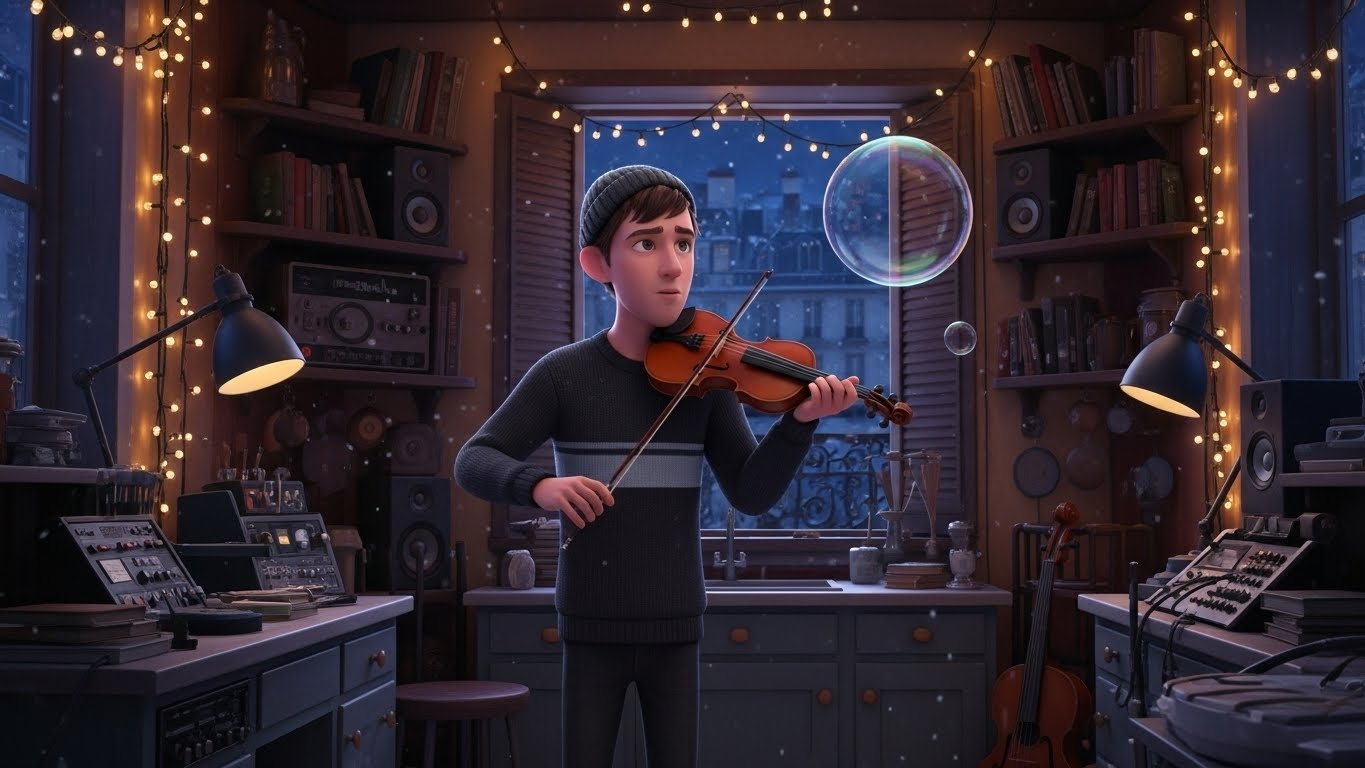


Prompt without image reference.

Prompt with image reference.
Key Interaction Hurdles
- The Gulf of Execution: Significant drop in quality when moving from Image-to-Video vs. Text-to-Video.
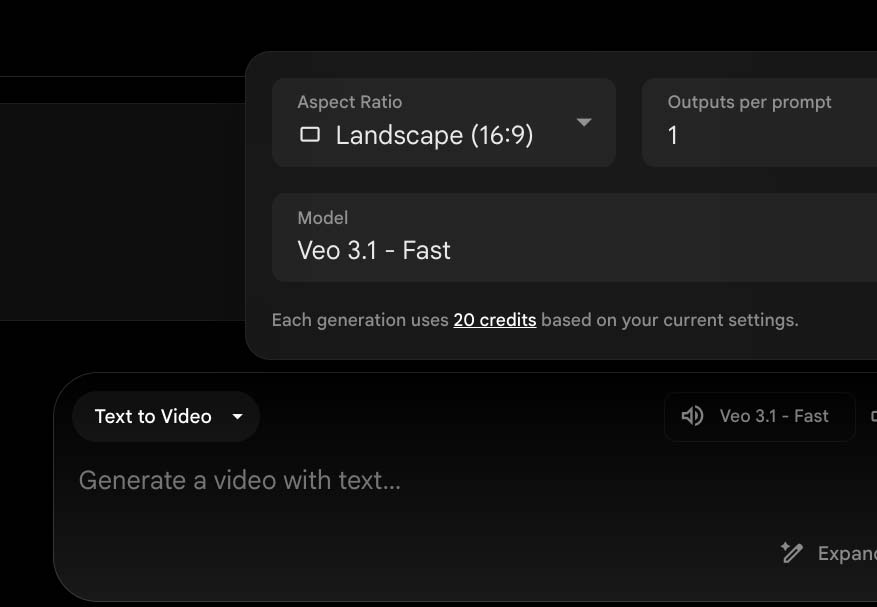
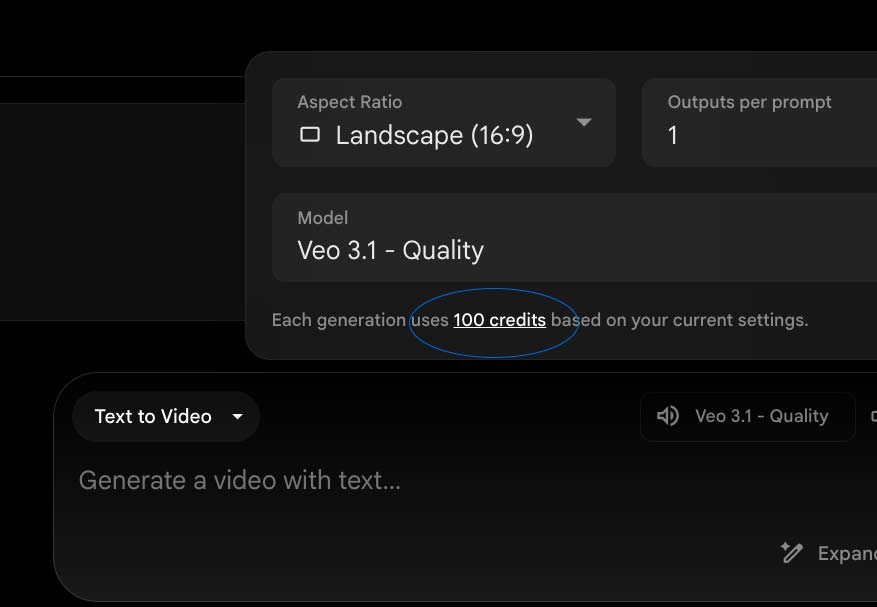
- Credit Scarcity: A high “cost of error” (20 credits per 8-second clip) when exploring the app created a low-trust environment for creative exploration, as there are only 100 credits available.
- Basic Internal Editing: The internal Flow editor lacked the multi-track logic required for a non-sequential, parallel narrative. As a result, the tool felt like a “clip-stitcher” rather than a professional studio, necessitating an external handoff to Adobe Premiere.
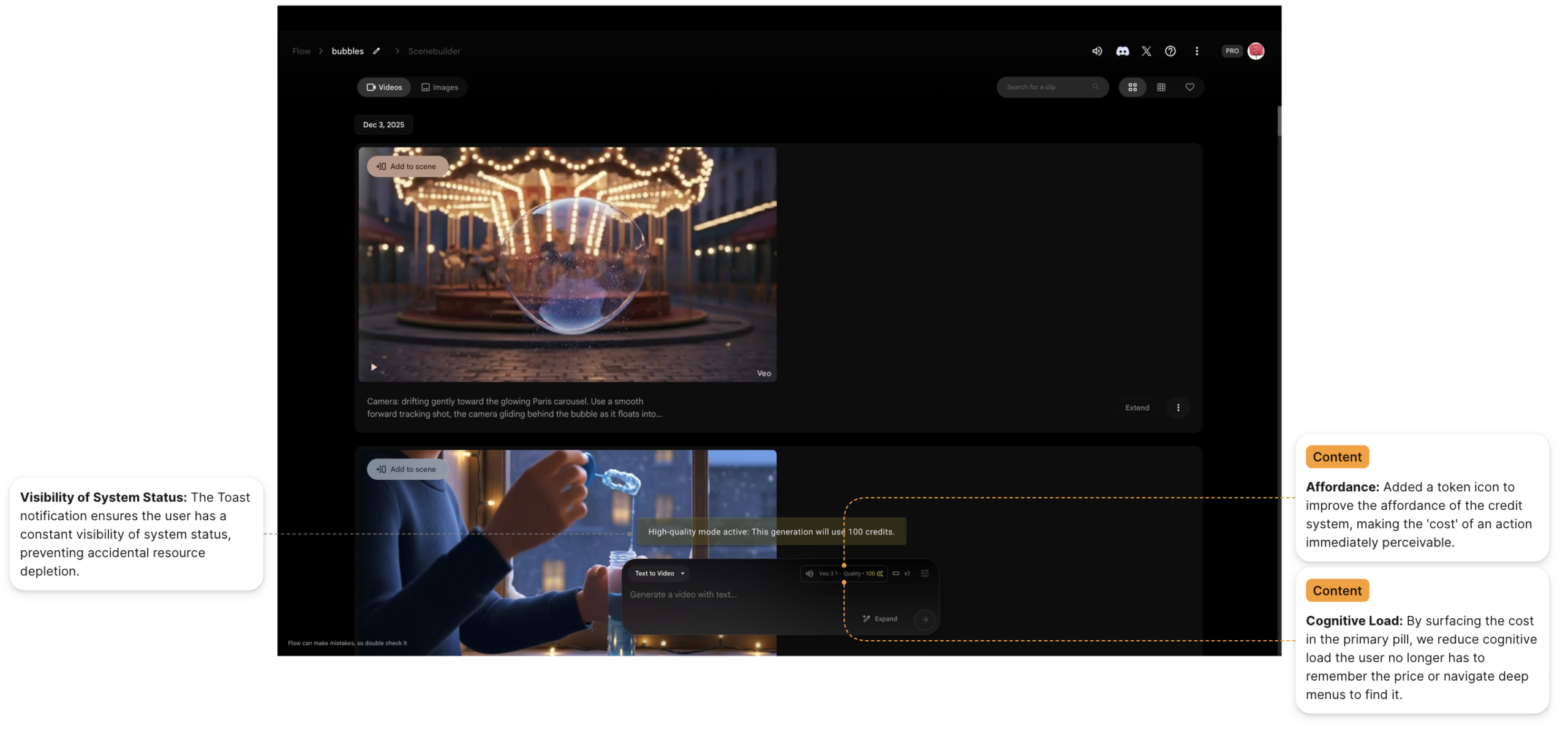
Product Insight: The interface lacks “Visibility of System Status.” I inadvertently spent 200 credits (50% of my trial budget) because the “Veo Quality 3.1” setting, which costs 100 credits per generation was active and the credit cost is only visible after clicking on the quality text, which lacks a hover interaction. This highlights a critical need for budget-transparency in high-cost generative tools.
The Solution: A Cross-Platform "Model-Chaining" Pipeline
To overcome the tool’s limitations, I engineered a three-tier production architecture:
STEP ONE
Stylistic Grounding (Whisk)
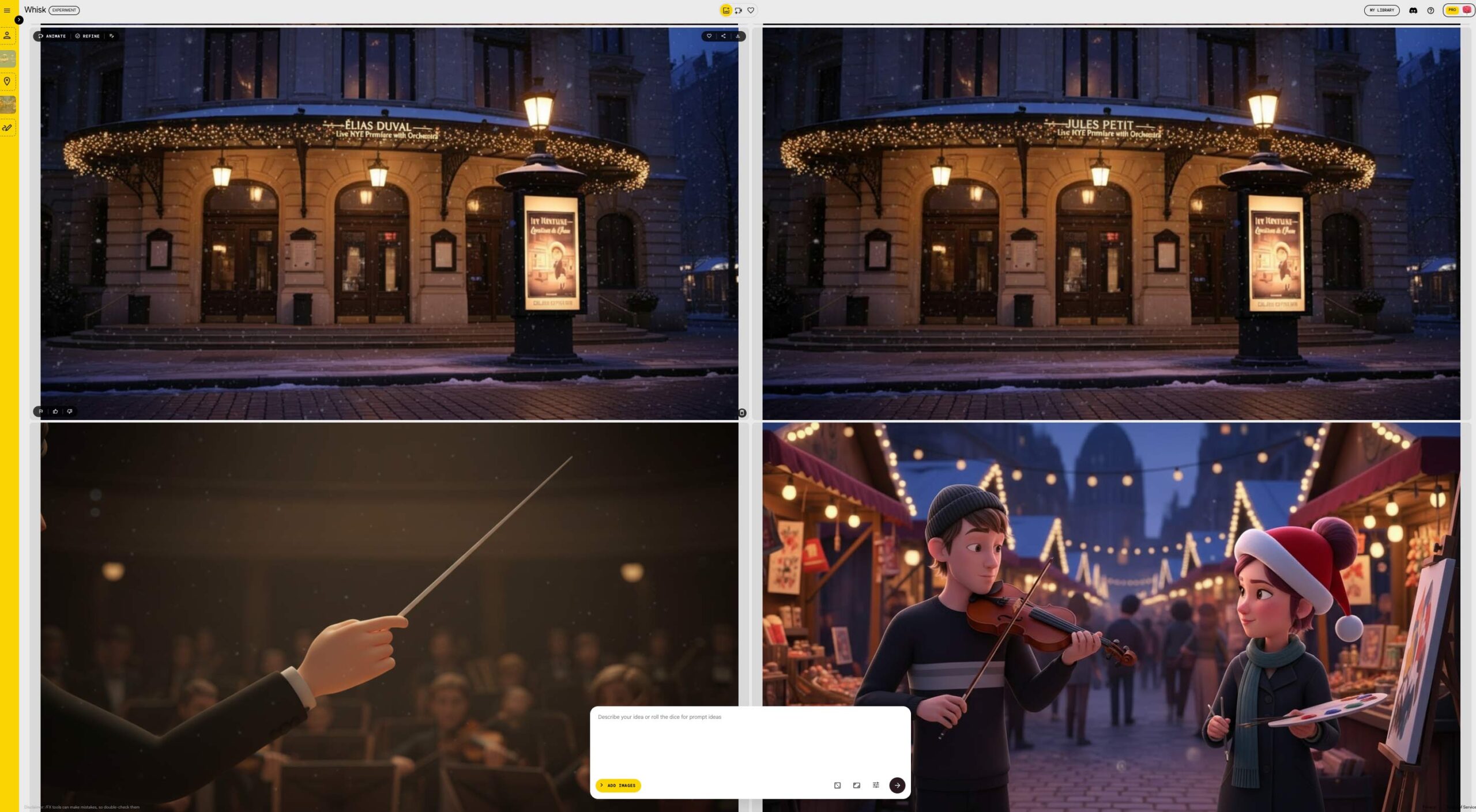
I used Whisk to generate static “Style Frames.” This bypassed the AI’s tendency to hallucinate realistic faces when a painterly, “animated” aesthetic was required for the story.

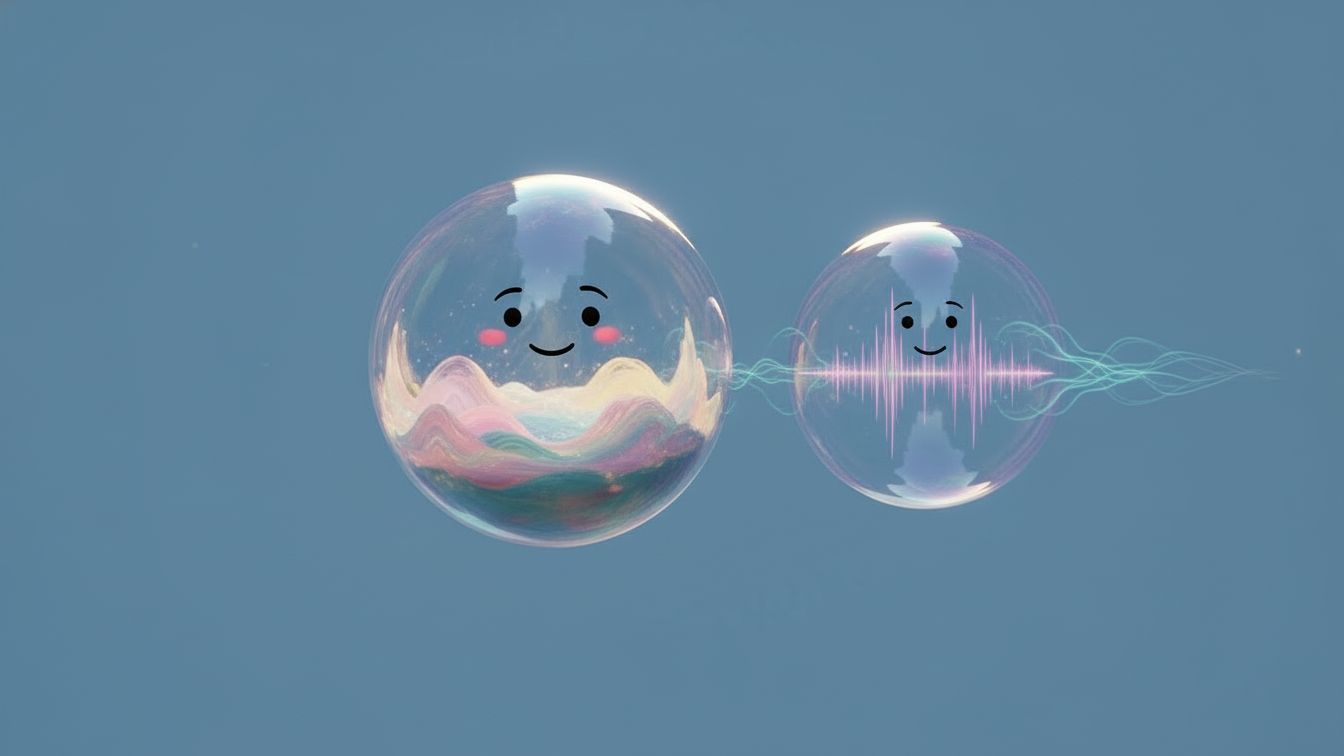
Strategic Tool-Chaining: Whisk for Characters and Style Refinement
Before committing credits to animation in Flow, I utilized Whisk to perform iterative style hardening. This allowed for rapid, low stakes iteration. By “locking in” the visual identity here, I avoided the high cost of “experimenting” within Flow. Ensuring that the 20 credit animation spend was applied to a high-probability asset rather than a blind guess.
Visual Prototyping
Whisk examples
STEP TWO
Visual Referencing (The Manual Loop)
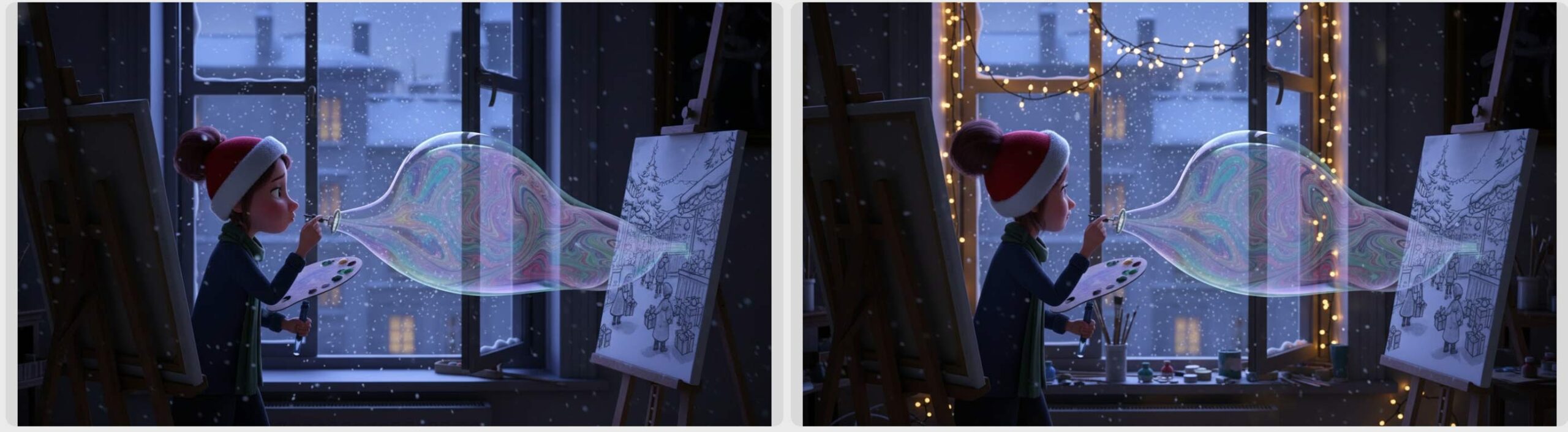
To fight “style drift,” I implemented a manual feedback loop. I fed screenshots of successful previous renders back into the Flow prompt engine to “remind” the model of the lighting, textures, and character features of the Parisian setting.
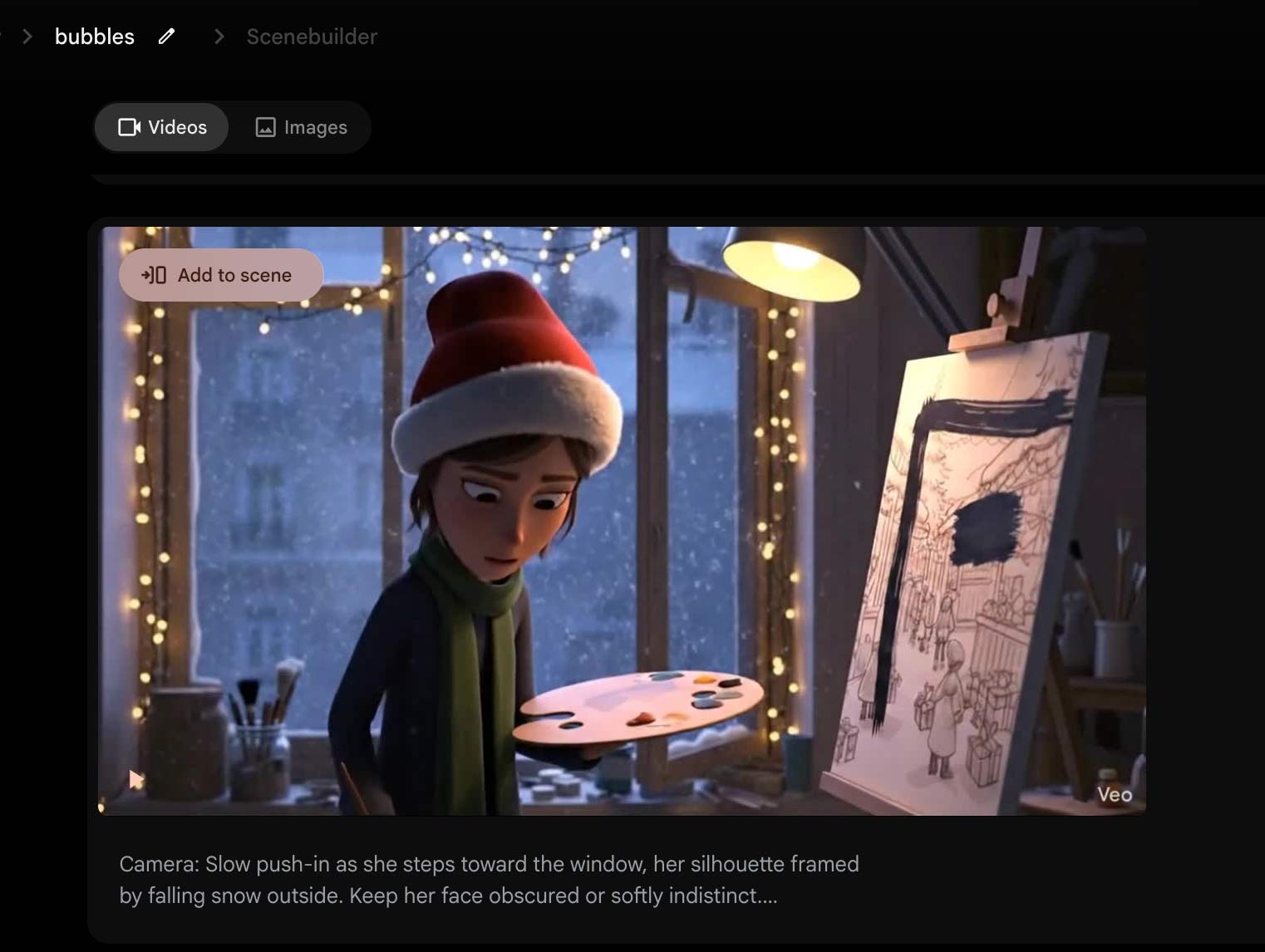
Prompt
Camera: Slow push-in as she steps toward the window, her silhouette framed by falling snow outside. Keep her face obscured or softly indistinct. Environment: Snow drifts down in soft motion, casting cool blue tones into the studio. On the window sill sits a familiar bubble wand, catching a warm highlight from the lamp behind her.
Action: She picks it up delicately, lifts it to her lips, and blows a gentle breath. Magical Realism: A single bubble forms, shimmering with subtle warm-and-cool light patterns—as if responding to her emotion. It drifts upward, weightless and hopeful.
STEP THREE
Temporal Animation (Google Flow)
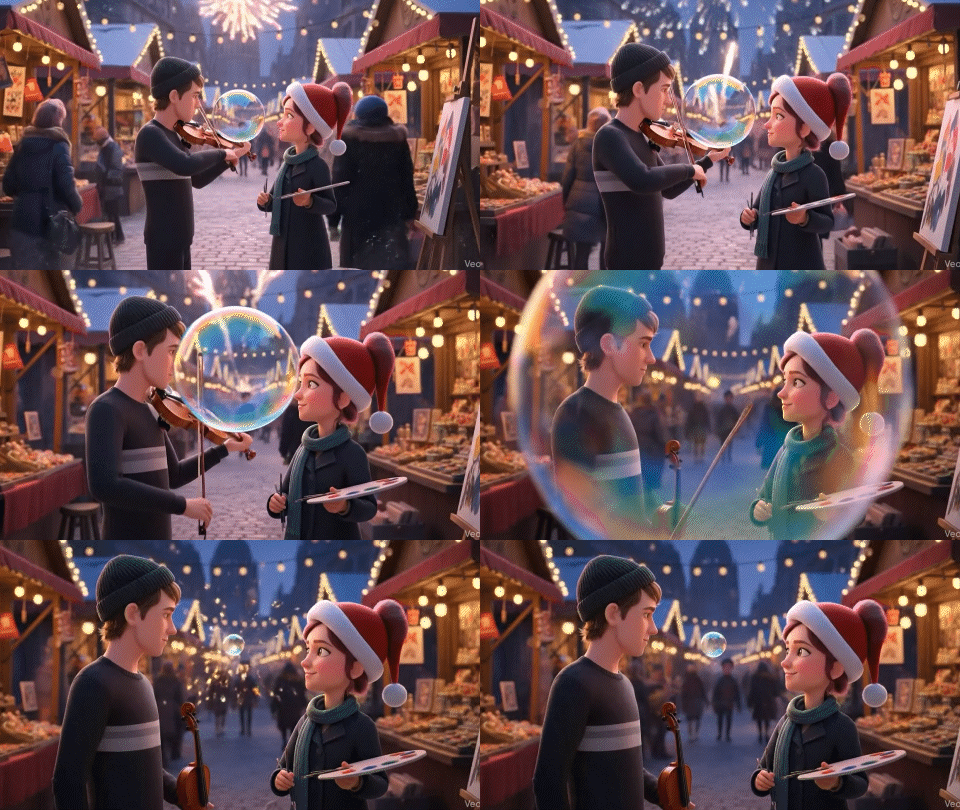
Flow was used exclusively for its strengths: fluid motion. I focused the generative power on the trajectory of the bubbles and the subtle “eye-contact” moments between the characters at the market finale.
STEP FIVE
UX Audit & Product Recommendations
As a “power user” of early-stage AI, I identified three critical areas for product growth.
Strategic Fix: The cost of Intent
The primary friction identified was the “200-Credit Error,” where high-cost settings were hidden behind secondary menus. My proposed solution introduces Visibility of System Status at the point of action.
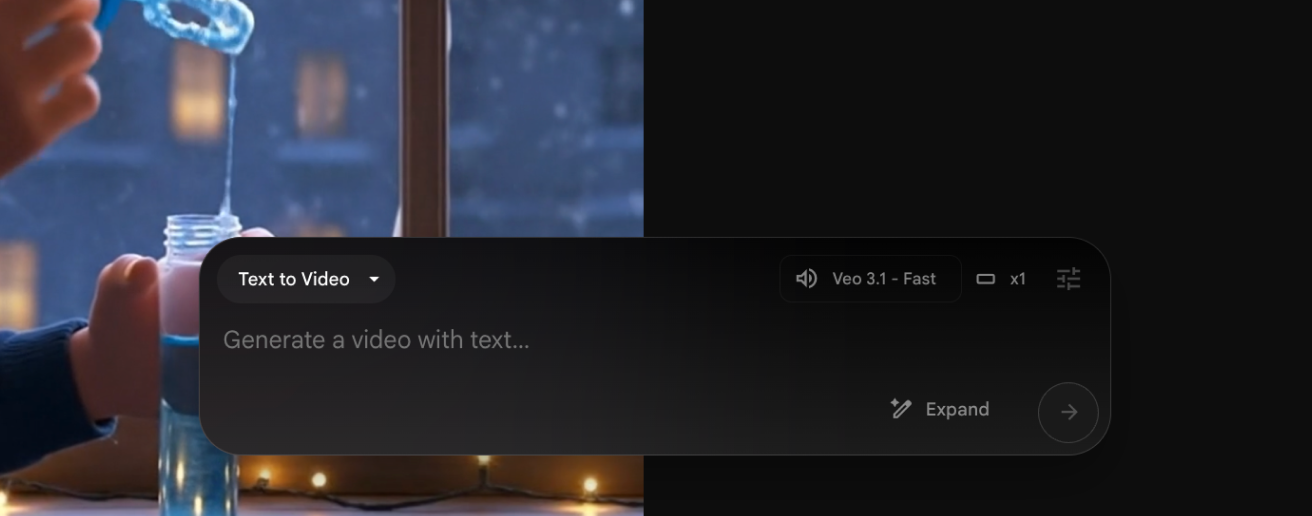
Before
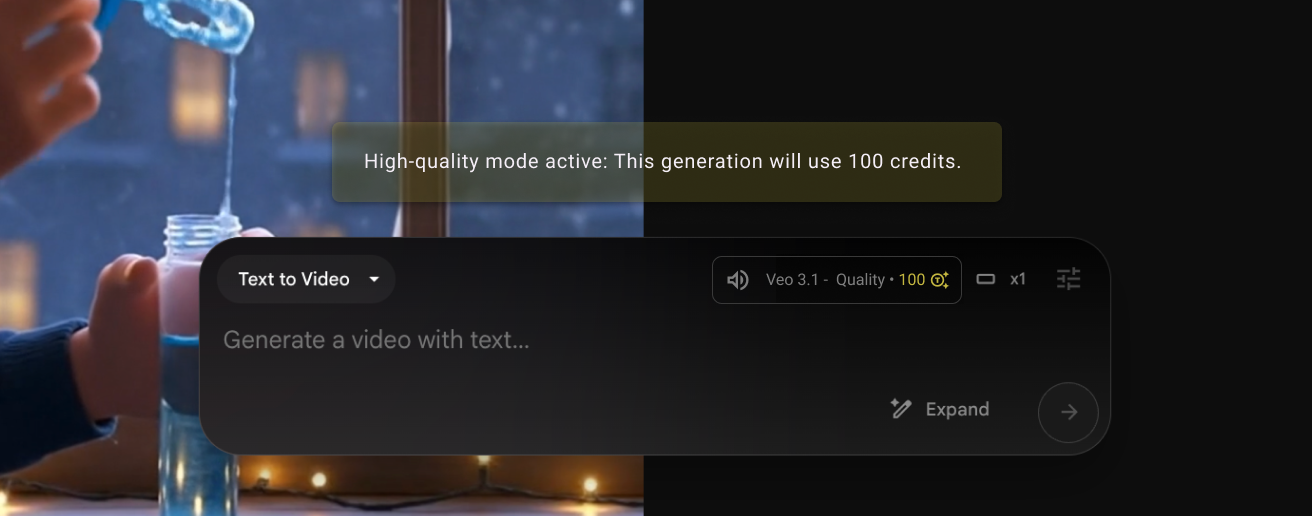
After. Surfacing real-time credit costs directly in the model selection pill using a secondary color-coding system. The Persistent Warning, a non-dismissible toast notification that appears only when high-cost models are active, ensuring the user is aware of the “transactional weight” before generating.
The Roadmap: Moving from Play to Production
To transition Flow into a professional-grade tool, I propose two structural system changes.
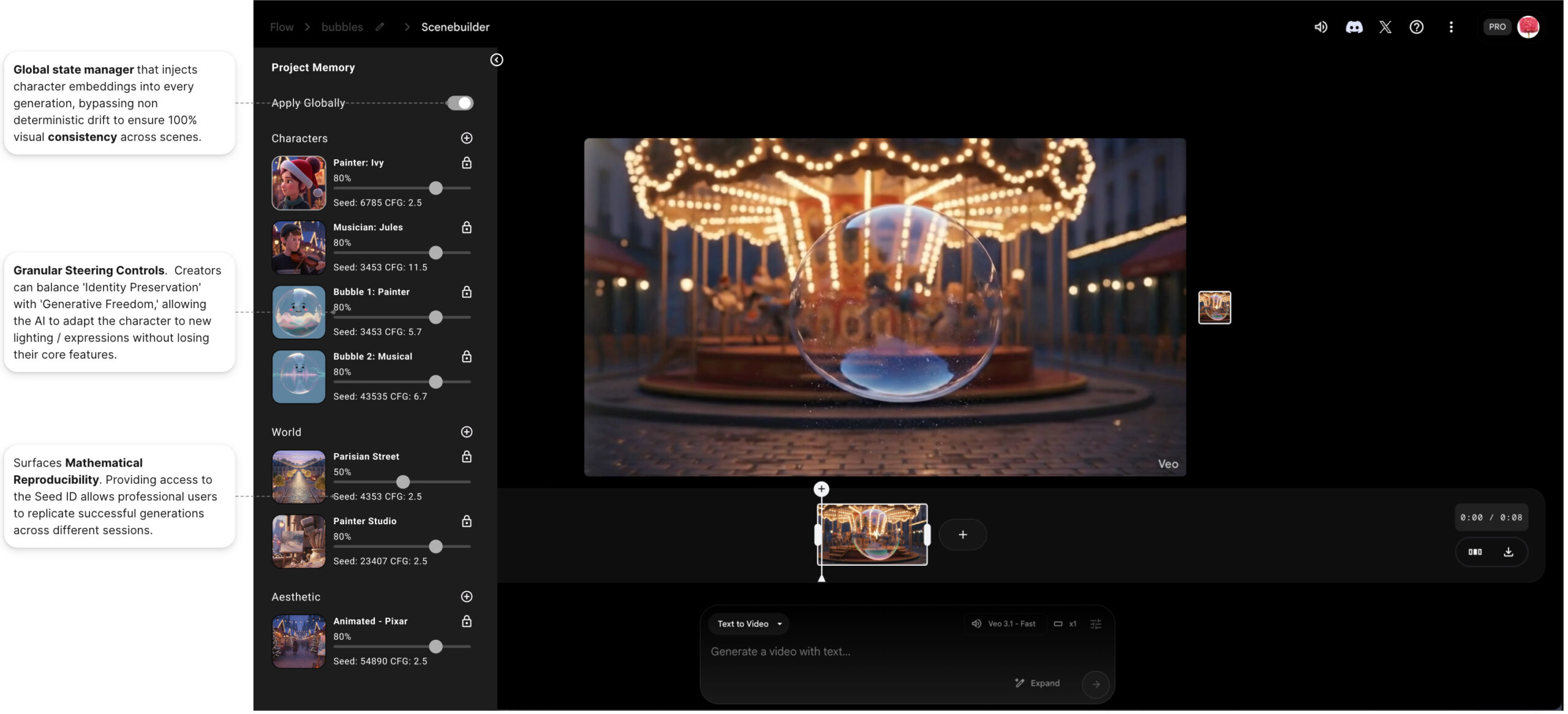
- Global Style Settings: A dedicated sidebar tray to “pin” character and environment references, solving the “Consistency Paradox” of non-deterministic AI.
- Tiered Generation Logic: A “Draft Preview” mode that allows for rapid, 10 credit visual style (motion/composition) validation loops before committing to a full 20-credit definition render.
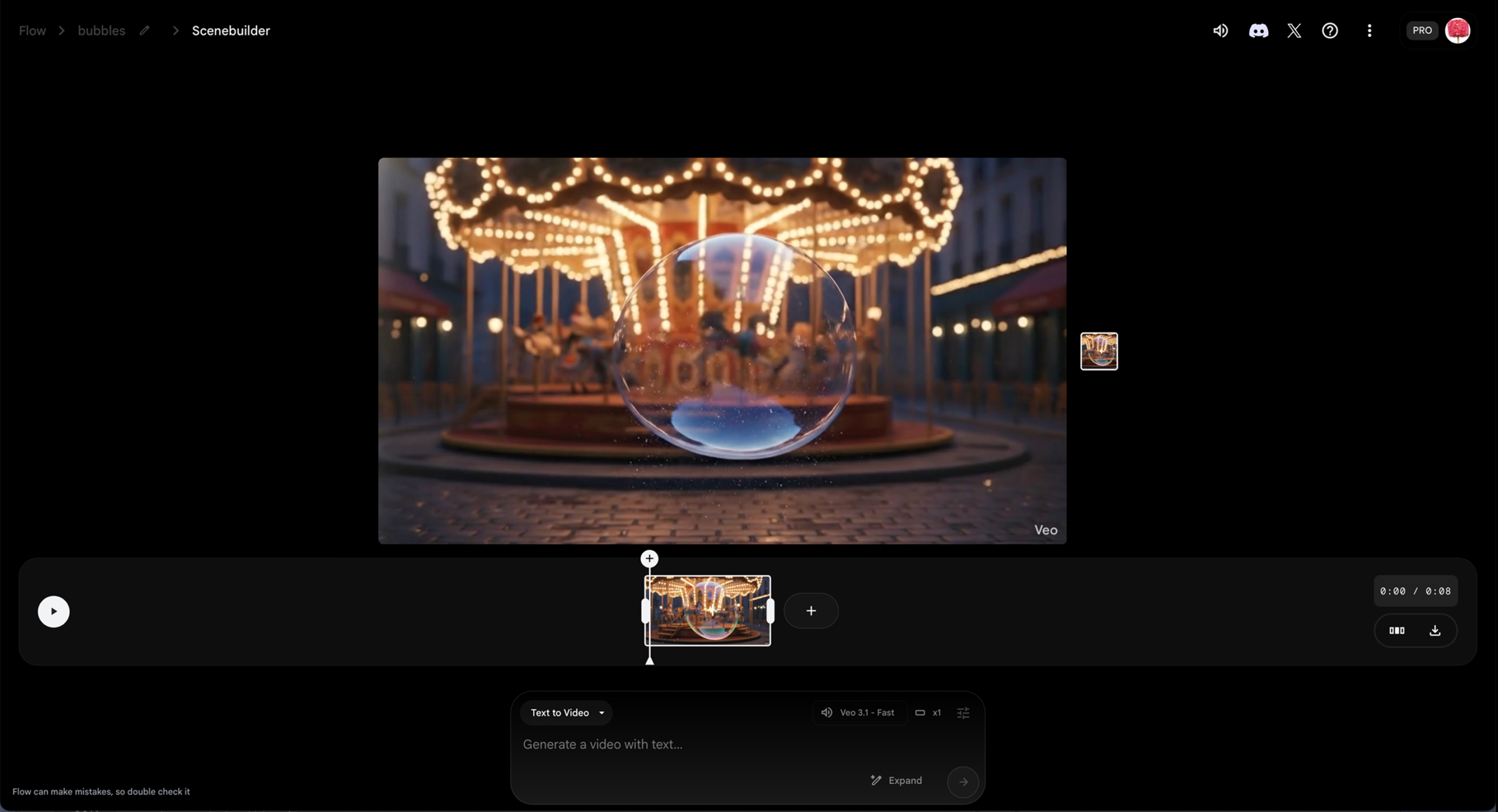
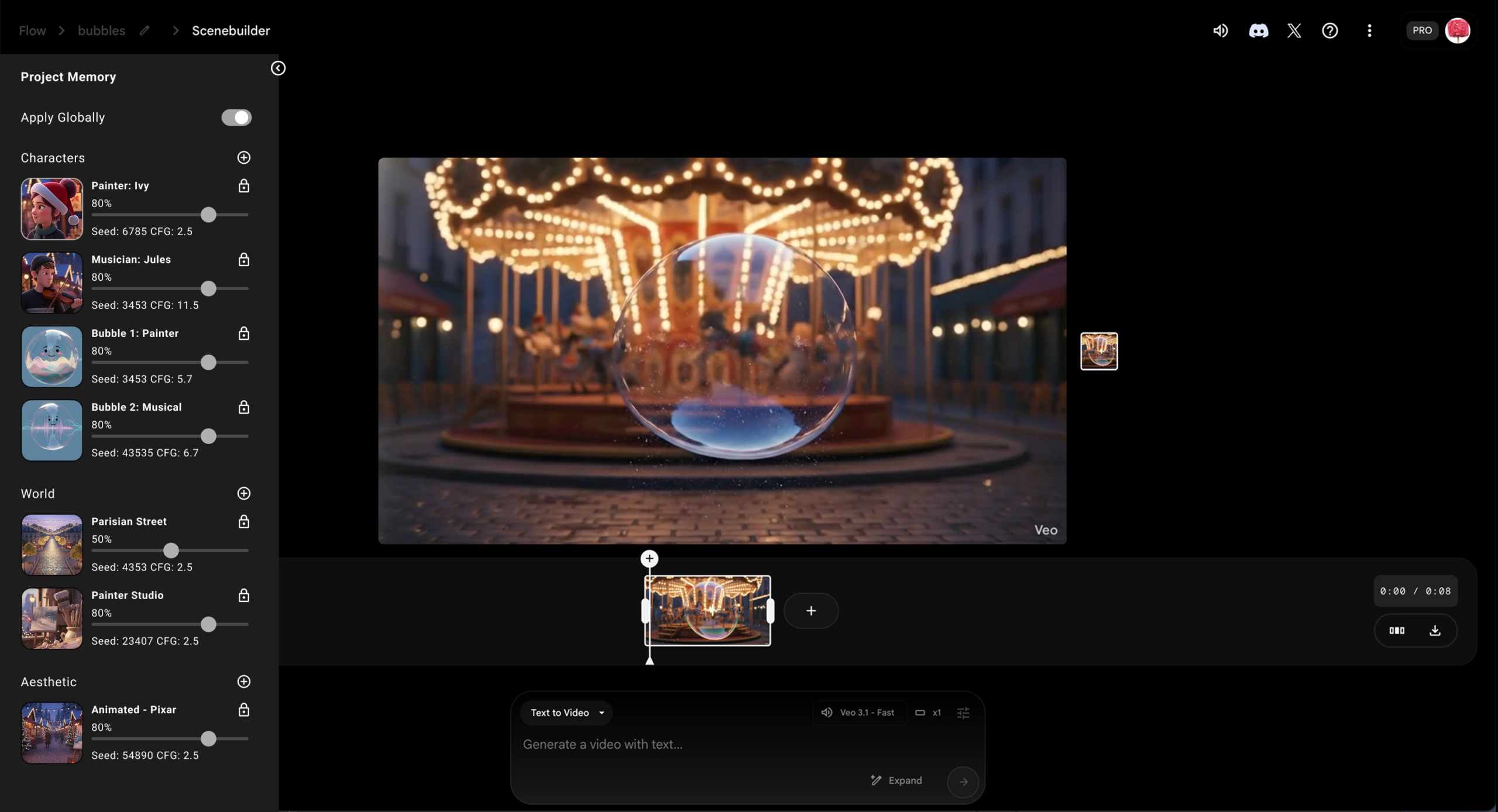
Before
After, with Global Style Settings
The Finale: Non-Linear Orchestration in Premiere Pro
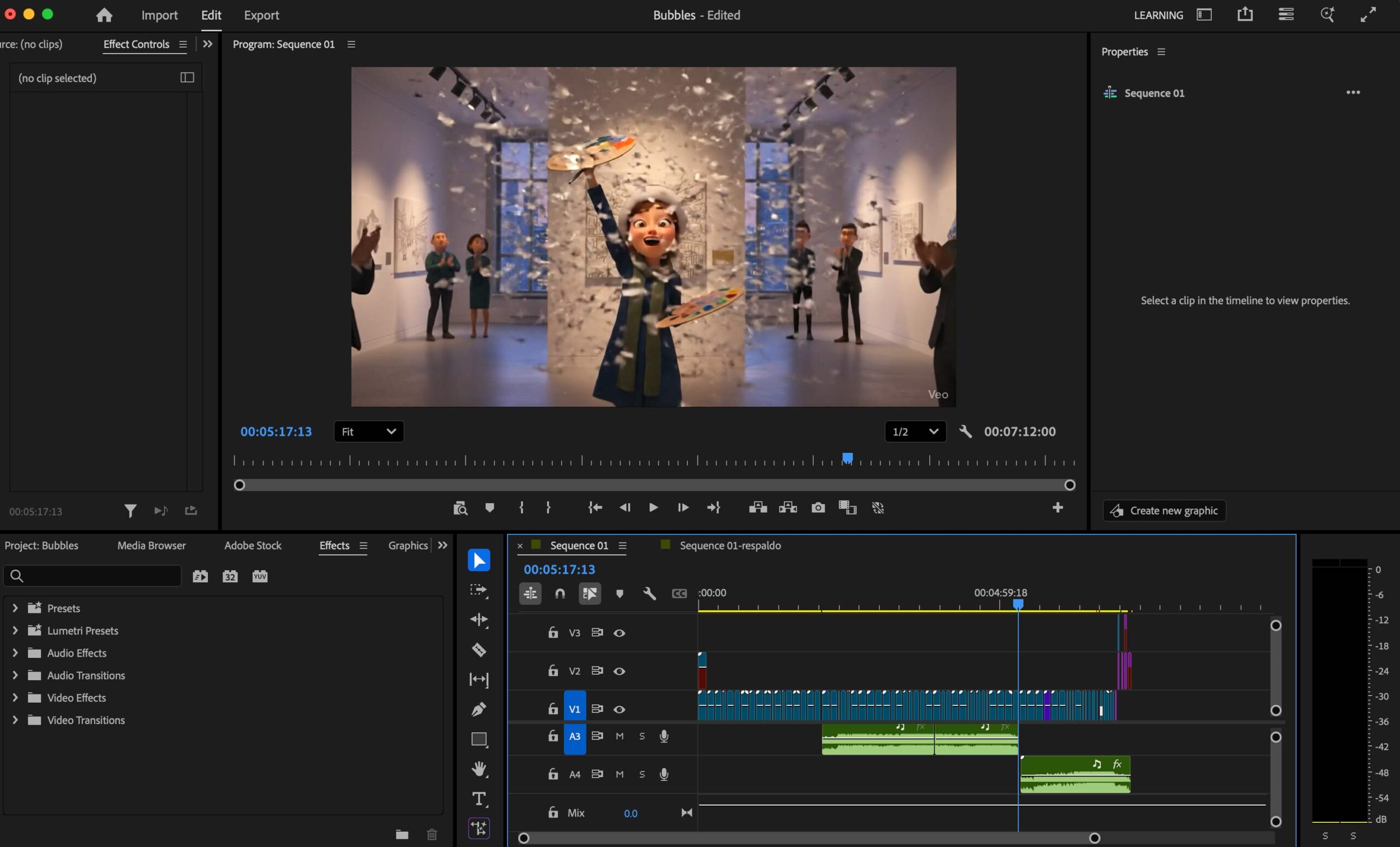
While Google Flow provided the raw motion synthesis, the narrative soul was engineered in Adobe Premiere. I treated the internal Flow editor as a “basic clip-stitcher” and moved to a professional NLE (Non-Linear Editor) to achieve:
- Temporal Pacing: I manually retimed AI-generated clips to align the characters’ with the emotional beats of the score.
- Audio Visual Synchronicity: Since Flow currently lacks native audio layering, I also added audio in Premiere.
- Editing: By using speed-ramping and strategic jump-cuts, I masked the technical “jitter” inherent in early-stage AI video, creating a seamless 7-minute flow that felt intentional.
Reflections: From Maya 2006 to Generative 2026
My journey in narrative storytelling began nearly two decades ago, from winning second prize in the Microsoft’s Imagine Cup 2007 filmmaking competition to participating in the Reel Ideas Studio at Cannes. Later, my work in advertising was recognized by MOFILM. Having navigated the “old world” of production, including my first steps with Maya in 2006, I have a deep appreciation for the traditional technical overhead required to bring a vision to life.
The results achieved during this project are, quite frankly, mind-blowing. Although I didn’t win the award this time, the experience was a revelation. It proved that the friction between ‘idea’ and ‘execution’ is finally disappearing. I’m walking away from this project more inspired than ever about the future of AI-native creative tools
Unprecedented Velocity
Traditionally, a 7-minute narrative film would require a full crew and months of labor. Accomplishing this in 4 days of part-time work is a paradigm shift.
Studio-Grade Output
These tools acted as a complete production house, allowing a single creator to simultaneously manage the roles of director, cinematographer, and editor.
Veredict
Knowing the technical weight of every frame, the results these tools achieve are staggering. While my audit highlights where the ‘UX friction’ exists, the core capability of this technology is a paradigm shift. It allows a single creator to achieve the output of a studio, turning years of professional frustration into days of pure narrative execution!